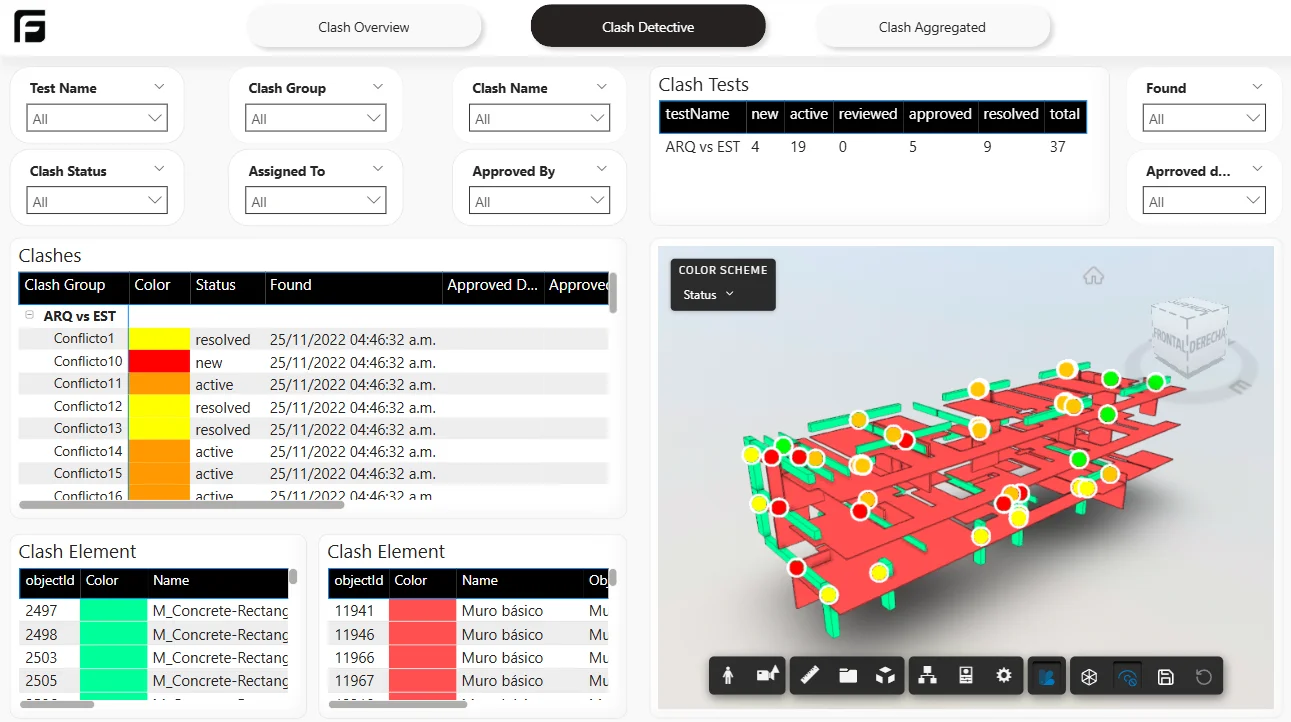
Choose your clash source
Use Navisworks Clash Detective results exported as XML. Frame reports on those results; it does not perform clash detection. The local XML workflow and uploaded clash snapshots are different sources. Choose the matching option in the template dialog rather than mixing their setup instructions.
Set up a clash dashboard
- Export a known clash test from Navisworks with its results and element references.
- For a local-file report, choose the local clash template and set its XML file parameter in Power BI Desktop. Follow the local clash walkthrough.
- For Frame-managed results, upload the clash export against the appropriate model, wait for processing, and choose that source when generating the report.
- Compare the number of results and status totals with the Navisworks export. Check one test’s tolerance and one known clash.
- Use the detail pages to review ownership and status. Viewer context requires the corresponding model and usable element references.
Read the results correctly
Missing assignees or dates remain missing inputs, not evidence of zero delay. Historical analysis needs comparable snapshots; one XML export cannot establish a trend. A local XML report still needs file access at refresh time, while the model viewer uses its separate model connection. Review template access before using the report with your own project.
How Frame builds it
One export, or every export