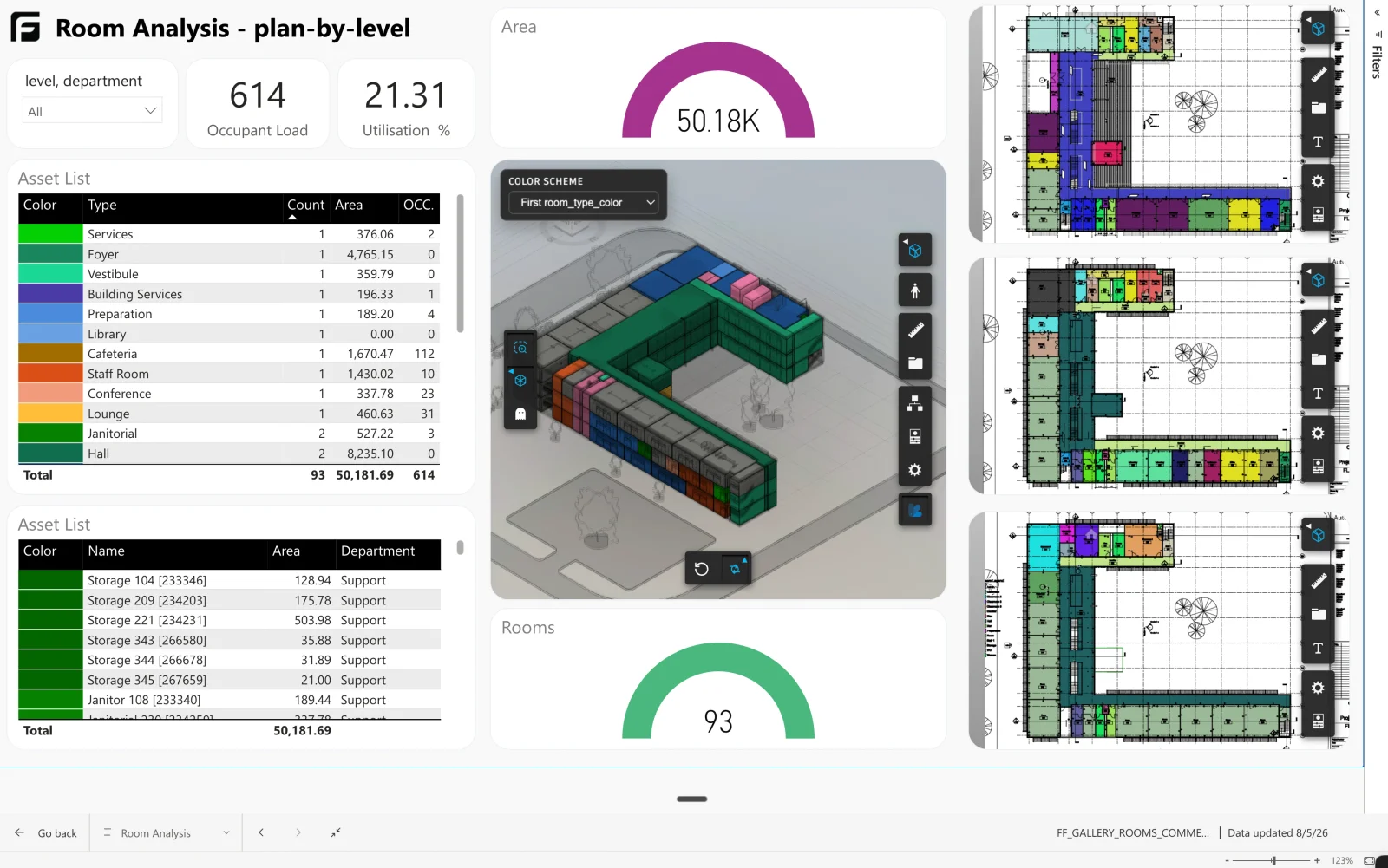
Area schedules answer “how big is it”. They do not answer “is it what the brief asked for”, which is the question that matters during design.
How it’s made
Built from the Starter template: filter to rooms, pull the properties you are testing, and join the brief you are testing them against.
How Frame builds it
This one started as the Starter template
The part worth stealing for your own reports: this page carries more than one view. A 3D view sits alongside 2D floor plans, one per storey, for people who read plans faster than models. Every viewer interaction behaves the same in both — isolate an element, select a row, cross-filter from the charts, and the floor plan responds exactly as the 3D view does.